
Here's how I create a personalization box in which customers can enter text on my Shopify store, just like they can on Etsy.
- 100% FREE
- NO apps needed, so doesn't slow down your site.
- Works for Dawn based themes (free theme, includes Dawn, Refresh).
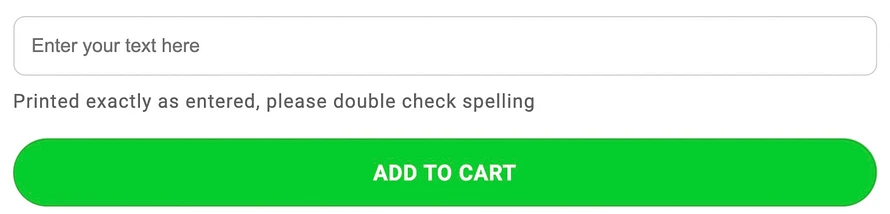
Box looks like this:
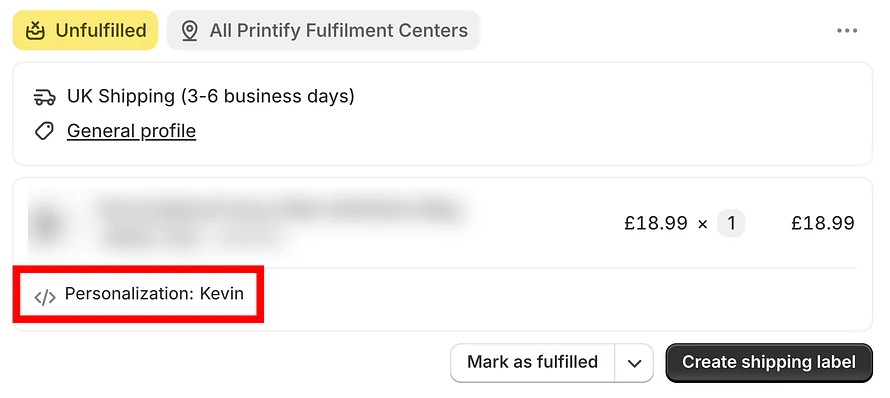
At checkout you'll see the customer's text like this:
INSTRUCTIONS
- Make a copy of your theme first in case something messes up so you can restore it!
- Navigate to sales channels (in the left bar on your Shopify dashboard)
- > Online store
- > Click the 3 dots next to Edit Theme
- > Edit code
- > Open snippets dropdown
- > buy-buttons.liquid
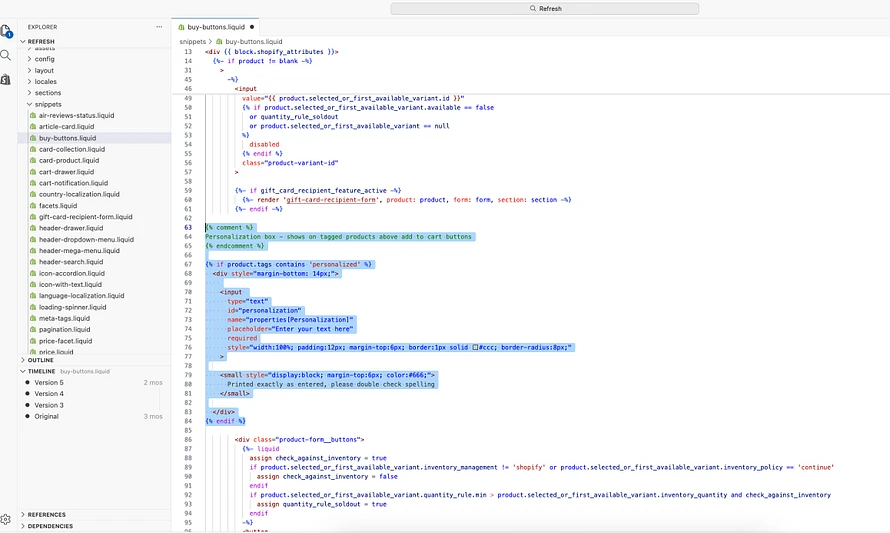
- > Copy & paste code above the section for your buy button (or choose anywhere else to put it, I think that's where it makes most sense). Where I put mine for reference (Refresh theme):
Code:
{% comment %}Personalization box - shows on tagged products above add to cart buttons{% endcomment %}
{% if product.tags contains 'personalized' %} <div style="margin-bottom: 14px;"> <input type="text" id="personalization" name="properties[Personalization]" placeholder="Enter your text here" required style="width:100%; padding:12px; margin-top:6px; border:1px solid #ccc; border-radius:8px;" >
<small style="display:block; margin-top:6px; color:#666;"> Printed exactly as entered, please double check spelling </small>
</div>{% endif %}